Why do you need a CRM Strategy? A CRM implementation can become expensive very quickly when the strategy is an afterthought to the software. Before you customize fields, import data, build workflows, or train your team, you need to understand how your business actually wants to use its CRM.
The excitement of using new technology and the idea of automating processes is very appealing, but remember that the planning work needs to be handled before implementation. If you start taking action in the software too fast, then you will likely end up doing double work.
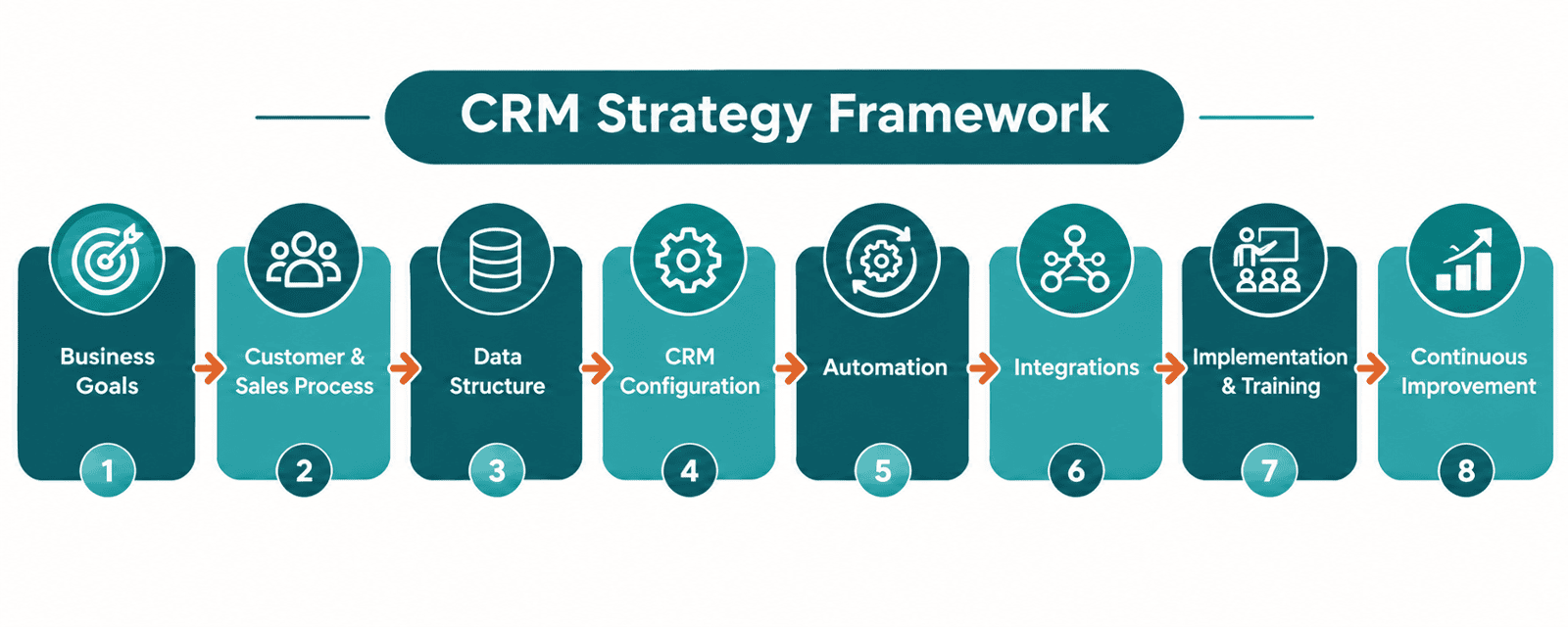
In this guide, we'll walk through 7 steps for building a practical CRM strategy framework—from auditing your current process to planning your launch. The process begins with your marketing strategy.
- Audit your current CRM and business processes
- Determine what customer information you actually need
- Map your customer relationships and sales process
- Decide what your CRM should be customized to do
- Prioritize automation opportunities
- Identify essential CRM integrations
- Build a practical CRM implementation plan
How do your CRM and marketing strategy connect?
High-Quality Sales and Marketing Are About Offering Value First
Begin with outlining the overall sales and marketing funnel. Your marketing efforts are expected to feed leads into the top of the funnel. How do those leads get into your CRM? And how are they managed once added there?
Have you defined the business' Marketing Strategy?
Clients often ask us how they can write good content, such as social media posts that will connect with their customers or emails that will get high click rates. The first thing we say is to be sure you have a strong offer based on providing the prospect value. The second thing to remember is that while AI can be used help with content writing, it can sometimes hurt the process when you take a human reader out of it. Be careful.
Provide value through your marketing content and you'll see better results – people filling out opt-in forms, making a purchase, inbound email inquiries, etc. This all begins with a documented content marketing strategy.
Your marketing strategy should include knowledge about the business' ideal customers. This may be a Customer Persona or at least a simple profile. To connect with customers, you begin by listening to what they say, watching what they do, and asking smart questions about their pain points and ideal solution.
If you are developing a marketing funnel or still in a place of understanding your customers, then you'll check out Lead Generation and Funnel Basics.
Once you know how to drive traffic to your opt-in forms and purchase pages, then it is time to work on what happens afterwards. This is the framework for a CRM strategy that encompasses both sales and marketing.
How to Build Your CRM Strategy Framework
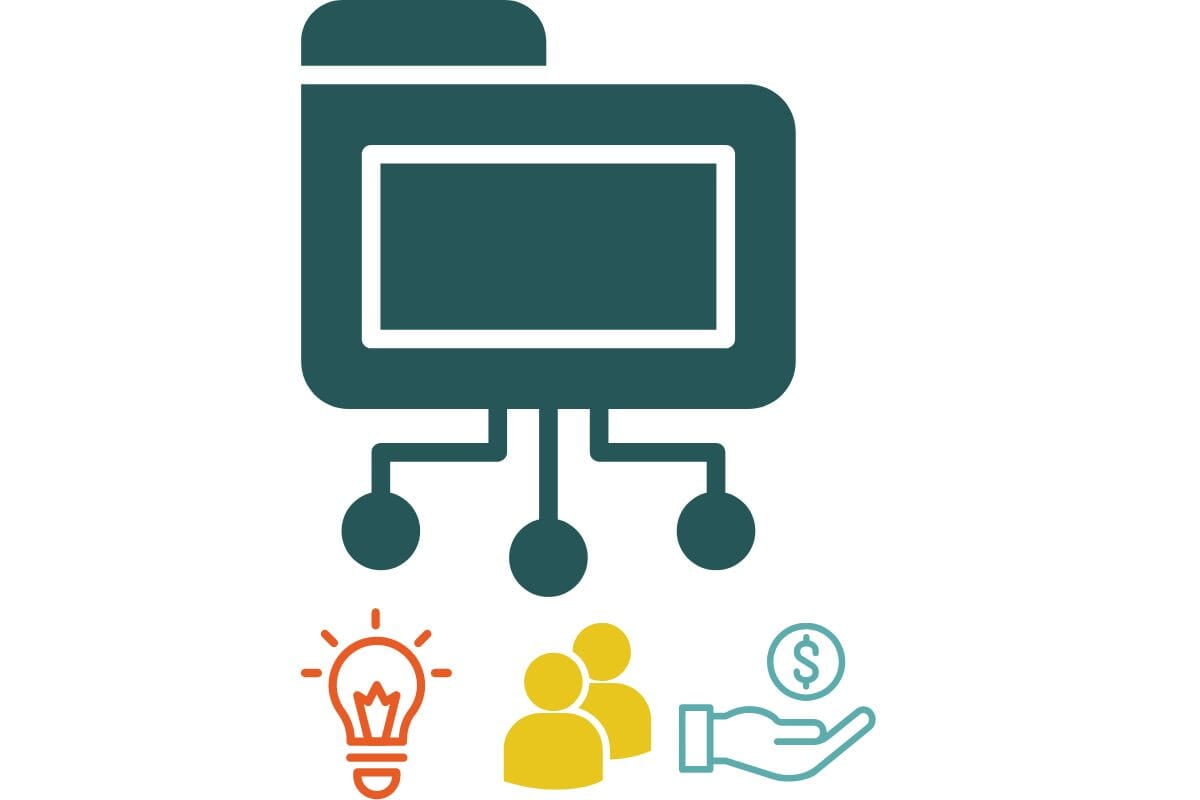
A CRM Strategy refers to the ways you aim to thoughtfully engage with prospects and customers – from both a technology and communications approach. Customer relationship management is more than the software you use. It is the sales process, data management, and communications strategy to nurture and maintain business relationships.
These seven steps guide you through the process of properly defining your CRM Strategy and creating a plan.
1. Audit
When our team starts the process of a CRM Strategy, the first step is evaluating your current CRM setup (or the equivalent). Whether you're already using a basic CRM platform such as Hubspot or Monday, or maybe you're an existing Zoho CRM user, regular CRM audits are useful. This should go beyond a basic data audit, though that is important.
1. What do you like about your current system and flows?
2. What are your barriers to success?
3. What do you imagine would make it better?
The audit outcome includes reports about your CRM data, issues, and improvements. In addition, we make recommendations to help you keep the good things and expand upon them for a better system.
Also consider if there are any third-party applications that your business depends on that should be connected with your CRM. If your current system is siloed because it is not possible to integrate different systems or you are relying on middleware such as Zapier, then you may want to move to a more integrated platform such as Zoho One.
2. Database Education
Despite the general high-tech education many expect of the world, databases are more complex than a spreadsheet. There is a misconception that everyone understands how a CRM database works.
One of the leading issues in creating a strong CRM Strategy Framework is the administrator's understanding of how CRM databases work. Taking a little time to learn about databases, will make decisions so much easier and yield better long-term results.
3. Relationship Management
During the audit, we look at the R of CRM: Relationships. What is your relationship like with customers / clients right now?
Growing and nurturing relationships takes work and strategic planning. Creating a plan can reduce the mundane parts like a post-meeting recap while still keeping in touch in a useful way.
This is the stage when you begin to ask questions such as:
- What information do we need to know to win the business?
- What are the key touchpoints throughout the customer lifecycle?
- What do we know about customers to help us segment our communications?
- Where or when are we losing deals (and why)?
4. CRM Customization
The next step is to decide how you want everything laid out within your CRM software. What are the fields, where do they go, and how are they used?
Most likely, you have a set of fields you used in a previous CRM or your spreadsheets that provide a solid starting place. This is also an opportunity to re-think those fields and whether you need them.
- Is there information you "wish" you were tracking but have not started to yet?
- Are there details you often hand-write somewhere, but they belong in the CRM?
- In your other software, are you tracking information that would be useful for others to see?
Tied into all of this, of course, are questions about your current data and how you will prepare it for importing once the CRM customization is complete. You may also take into account the layout - thinking about the order fields are in on the record page and even the design, if that is important to your business.
5. Automation
What are your top 5 automations? Rather than getting bogged down with every possible automation, start with the tasks that are most obvious. These are the tedious things that are repeated exactly the same way every time.
Looking closely at your customer journey, simply identify all of the automated workflows that will make your business run smoother immediately. Here are some ideas for emails you may want to automate.
Be sure to include the automation details:
- What triggers the automation to start?
- What are the filtering criteria (i.e. only include Leads from Texas)?
- What actions should happen and when (i.e. send an email)?
Take it a step further by asking yourself about the big audacious ideas you would like to pursue. Add those ideas to the end of your list because you can get there.
After documenting all of the automations, we recommend prioritizing your list and potentially setting up automations in phases. You could have the priority 1 automations be part of your launch, then priority 2 automations happen 30 days later, priority 3 automations happen 60 days later, and so on for continually building improvements.
6. Integrations
Are there any third-party applications that your business depends on that should be connected with your Zoho CRM?
The common ones we look at are your email provider (i.e. Microsoft Outlook or Google), bookkeeping (i.e. Quickbooks), and Project Management (i.e. Jira or Asana). Since Zoho CRM makes it easy to connect with other, popular platforms it could potentially be easy to create a connection and begin sharing data between the two applications.
At this stage you should consider the following:
- Which integrations does your business require?
- What information needs to be available in the CRM?
- How often do you want that information updated?
- Is there information from the CRM that needs to go to this other app?
Zoho's marketplace also has many free and paid extensions that allow users to connect with third party applications. Carefully review your options before deciding which one(s) are right for your business.
7. Launch & Training Plan
What is the order of operations for implementation in your organization?
One possibility is to complete CRM customization first and import your historical data. Then you can train key sales team members. Once they are using the CRM for a couple of weeks, add the top 5 automations to improve their workflow.
Another approach is to complete all of the customization, the top automations and integrations before anyone is added as a user.
Take into account the number of users, the current situation, and then create an ideal timeline for your launch and training plan.
However you choose to go about this step in your CRM strategy framework, remember to include the onboarding & training plan of your team members. We recommend training the leadership team or managers first, then adding the rest of the team. Often, people learn as they go and will have questions that, ideally, a supervisor or team leader can answer.
Over the last 15 or so years, our team has used many different CRM platforms - Zoho CRM, Hubspot, Salesforce, Insightly, SugarCRM, Pipedrive, and many others. Through the process of experiencing different features and user experiences, we have learned to begin any software conversation with definitions - especially if you have never used one before. Your team many need the database basics training before getting into the software.
Lastly, you want to be working on continuous improvement. As the team is using the software, they will have ideas about how to make it work better. Listening closely to their input is so key to success.
5 Common CRM Strategy Mistakes
1. Choosing software before defining the strategy & requirements
2. Trying to automate a broken or incomplete process
3. Importing every piece of historical data
4. Building the CRM around software capabilities instead of your business processes
5. Launching without a user adoption plan
Not sure where to start? Take our Business Health Assessment.
CRM Strategy comes before the Zoho CRM Implementation
Start Creating a Your CRM Strategy Framework
Creating your CRM strategy is a big process that is best accomplished with support outside of your usual team. Beckmann Collaborative helps businesses evaluate their CRM requirements, design practical processes, and build systems that support the way their teams actually work.
If you are seeking a partner to support you through this process, then we invite you to meet with us. The complimentary consultaiton is completely free and there is no pressure or obligation. Our job is to listen, share insights, and see if we are a fit for your needs.